When people imagine a mobile app, they usually imagine the finished version.
Every screen. Every tab. Every settings panel. Push notifications. Social features. Maybe a dashboard nobody is actually going to use.
That is normal. It is also how a lot of mobile projects get too big before they even start.
The smartest first version of a mobile app is usually much smaller than the version in your head.
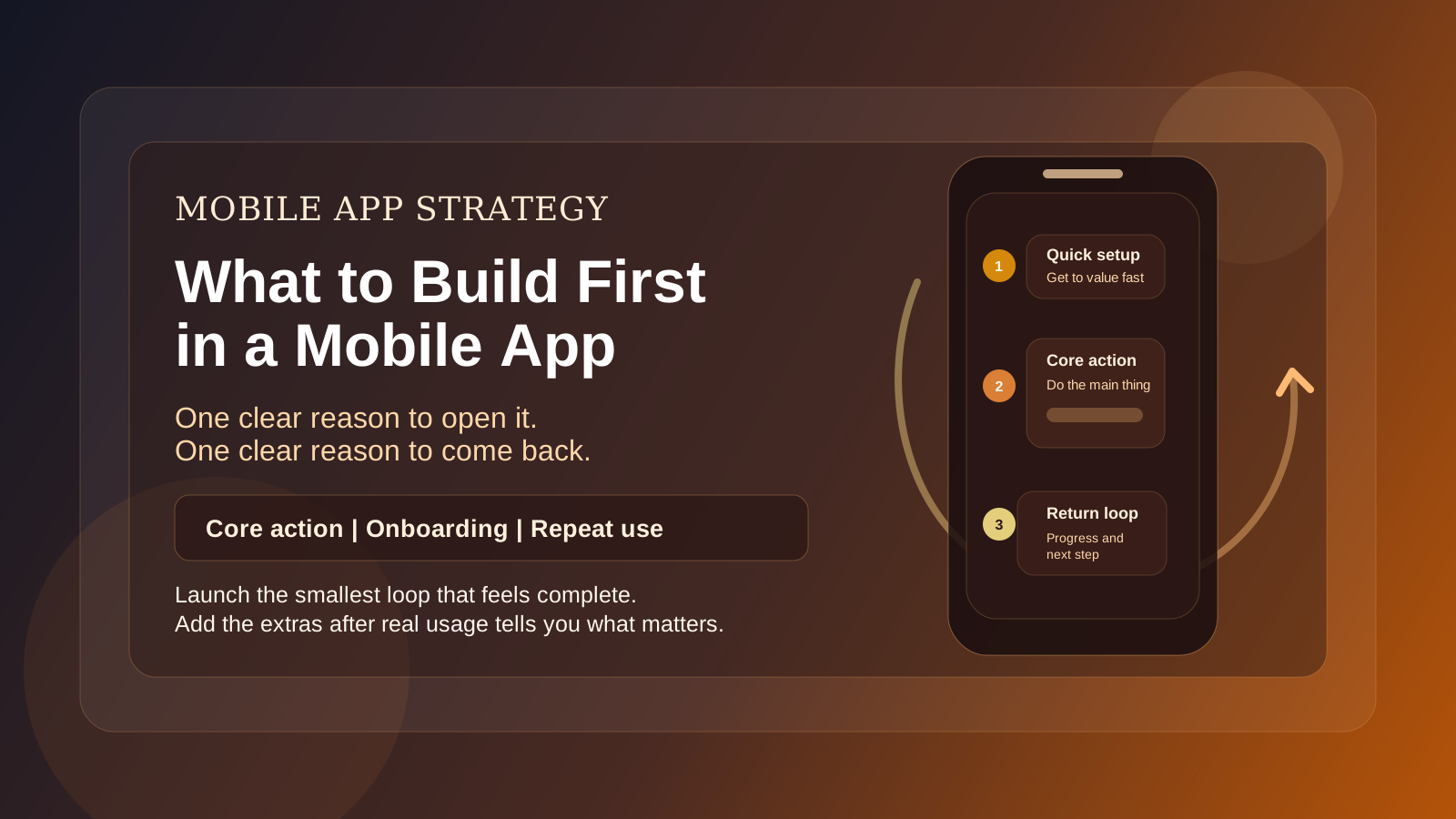
The goal is not to ship every idea. The goal is to ship the smallest version that gives users a clear reason to open the app, do the main thing, and come back.
Start With the Core User Loop
Before you think about extra features, define the basic loop:
- Why does someone open the app?
- What do they do once they are in it?
- What value do they get immediately?
- Why would they return?
That loop should drive version one.
If you cannot describe that clearly, the app is probably not scoped tightly enough yet.
Examples:
- A customer opens the app to book a service, gets confirmation quickly, and comes back to manage future bookings.
- A user opens the app to track a habit, logs progress in seconds, and returns daily.
- A parent opens the app to start a learning activity for a child, gets a smooth play session, and comes back because it is easy and reliable.
The first version should make that loop work well before it tries to do anything extra.
Mobile Should Have a Real Reason To Be Mobile
This is an important filter.
Not every product idea should start as a mobile app.
A mobile app makes the most sense when the experience benefits from things like:
- fast repeat use
- on-the-go access
- push notifications
- camera or location features
- a simpler touch-first workflow
- frequent short sessions
If the product is mostly long-form admin work, detailed data management, or heavy back-office tasks, a web app may be the better place to start.
That does not mean mobile is off the table forever. It means the first build should match the actual user behavior.
Pick One Main Job for Version One
A lot of first versions fail because they try to support too many different use cases at once.
Choose the single most important job the app needs to do.
Not three jobs. Not six. One.
For example:
- schedule appointments
- log field activity
- review daily metrics
- complete a short learning session
- message a client
- scan and upload a document
Once that is clear, the supporting screens become much easier to prioritize.
Build the Supporting Screens Around That Job
After you know the main job, ask what the user absolutely needs around it.
Usually version one needs some mix of:
- onboarding
- login or account creation
- the main task screen
- progress or confirmation
- simple profile or settings basics
That is enough for many early app releases.
It does not automatically need:
- deep customization
- multiple dashboards
- advanced filters
- a social feed
- a complex rewards system
- a giant settings menu
- every notification idea you have had
Those things can wait until the core loop is proven.
Keep Onboarding Short
The first few minutes matter a lot in mobile.
If version one asks for too much up front, people leave before they ever experience the value.
A good first release usually keeps onboarding focused:
- explain the point quickly
- ask only for the necessary information
- get the user into the main action fast
The app should not feel like a form people have to complete before anything useful happens.
Be Careful With Account Complexity
Account systems add real work.
Password flows, verification, recovery, permissions, profile management, subscription states. All of that is valid when the product needs it. It is just not free.
If version one can use a simpler approach safely, that is often worth considering.
Sometimes the first release does need full accounts. Sometimes it only needs basic sign-in. Sometimes a web-based onboarding flow paired with a simpler in-app experience makes more sense.
The point is to choose the simplest system that supports the product, not the most elaborate one.
Design for Fast, Repeat Use
Mobile apps live or die on friction.
If the main action takes too many taps, too much reading, or too much waiting, people stop opening the app.
That is why a strong first version usually emphasizes:
- fast load into the main screen
- clear buttons
- short forms
- obvious progress feedback
- smooth transitions between the key steps
In other words, mobile version one should feel tight.
Notifications Should Be Earned
Push notifications sound exciting in planning conversations, but they are easy to misuse.
If notifications are included in version one, they should support the core loop directly.
Good reasons:
- reminder to complete the main action
- update on something the user already cares about
- confirmation that an important step happened
Bad reasons:
- "we should probably have notifications"
- trying to create engagement before the app has actually earned it
If the app is not already useful, notifications do not fix that.
What To Leave Out at First
These are some of the most common first-release extras that can usually wait:
- secondary feature tabs
- detailed analytics
- complicated user preferences
- referrals and invite systems
- cosmetic personalization
- admin tooling beyond what is required to operate
- edge-case workflows that only matter later
Leaving these out does not make the app weaker. It usually makes the first release much clearer.
Decide What You Need To Learn From Launch
Version one is not just something to ship. It is something to learn from.
Before launch, decide what questions the first release is supposed to answer.
For example:
- Do people complete the main action?
- Do they come back after the first use?
- Where do they drop off?
- Which part of the flow causes hesitation?
- What do they ask for once they are using it?
Those answers are what should shape version two, not guesswork from before launch.
Sometimes the Right First Move Is Not an App
This is worth saying directly.
If the product idea is still early, sometimes the best first move is a mobile-friendly web app or a simpler prototype instead of a full native mobile build.
That can be the smarter path when:
- the workflow is still changing
- you need to validate demand
- the product is heavy on admin features
- speed to launch matters more than app-store presence
There is nothing wrong with that. In many cases it is the more disciplined choice.
Final Thought
The first version of a mobile app should do one useful thing clearly and well.
It should get users into value fast, make the main workflow easy, and create a real reason to come back.
If you do that, the app has a foundation.
If you try to build every idea into version one, you usually end up with something larger, slower, and harder to improve.
Start with the core loop. The rest can follow once real usage tells you what actually deserves to be built next.